- Getting Started
- Code Review
- Platforms
- Agentic Coding
- Configuration
- CI integrations
- Design Tools
- Developer Tools
- Web Projects
- Get Notified
- API
- Single Sign On
- Self-host
Getting Started
- Getting Started
- Code Review
- Platforms
- Agentic Coding
- Configuration
- CI integrations
- Design Tools
- Developer Tools
- Web Projects
- Get Notified
- API
- Single Sign On
- Self-host
Getting Started
Masks
Masks are a powerful way to reduce noise in screenshot reports.
Introduction
Screenshot tests with animations or ones that render timestamps can be flaky. The flakiness generates noise for developers. It’s possible to solve flakiness in the test code. For instance, you might be able to mock out the clock to prevent timestamps from being rendered, or disable animations in your test setup.
However these solutions tend to be platform specific, and sometimes even project specific. Screenshotbot Masks are designed to be a general purpose solution to handling flakiness that doesn’t need code.
Understanding masked comparisons
When you set a mask on a screenshot, you’re telling Screenshotbot to not compare the pixels inside the mask. (Or, to be precise: Screenshotbot doesn’t use the pixels in the mask to generate the image signature.)
Masks are set on a screenshot by name, on a channel. Once set, it will be in effect for future runs. We won’t retroactively modify previous reports.
Adding a mask
On either the run page, or on a report, you can add a mask by using the Edit Masks link above the screenshot.
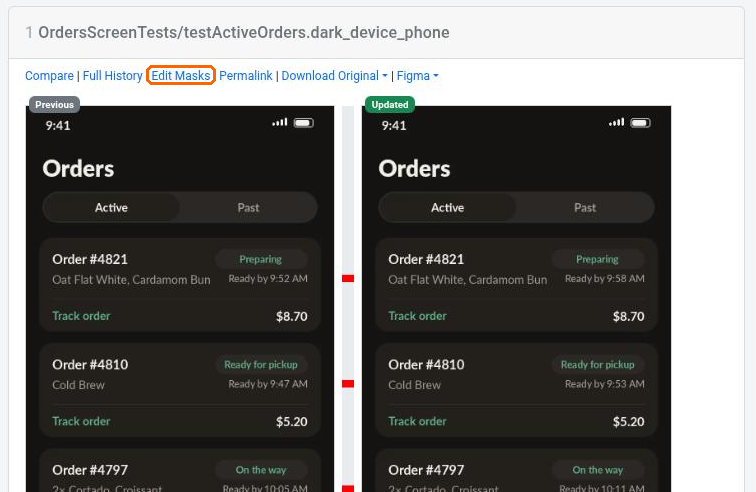
In this example, the only change is the “Ready by” time on each order, which depends on when the test ran. That’s a good candidate for a mask.
On the mask editor you can drag and create rectangles representing the mask. The mask will be the union of all the pixels under all the rectangles created. If you opened the editor from a report, the pixels that changed in that report are highlighted in red, so you can see exactly what to cover.
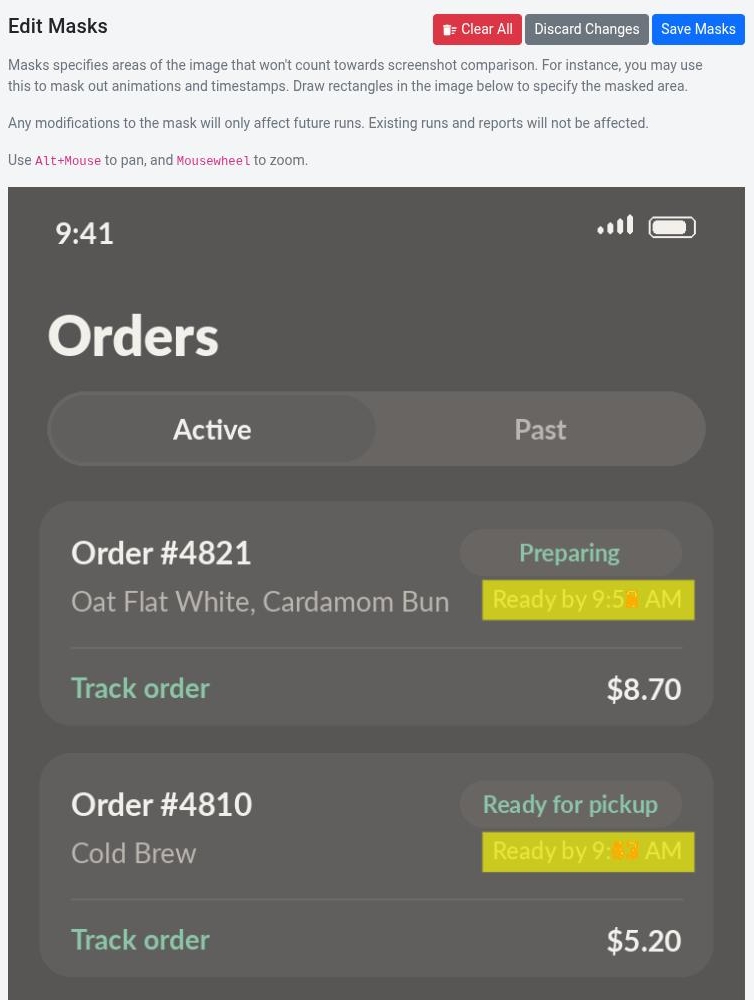
You can move or resize a rectangle after drawing it, and delete it with the × on its corner. Use Alt+Mouse to pan and the mouse wheel to zoom, which helps with tall screenshots.
Once you’re done, clicking Save Masks will save the mask for future runs.
Editing masks from your AI assistant
If you use the Screenshotbot MCP server, your AI assistant can list the masks on a channel with list_masks, and replace the masks on a screenshot with edit_masks.